
Setting Up a Desk Light for Reading, Drawing and Screen Work
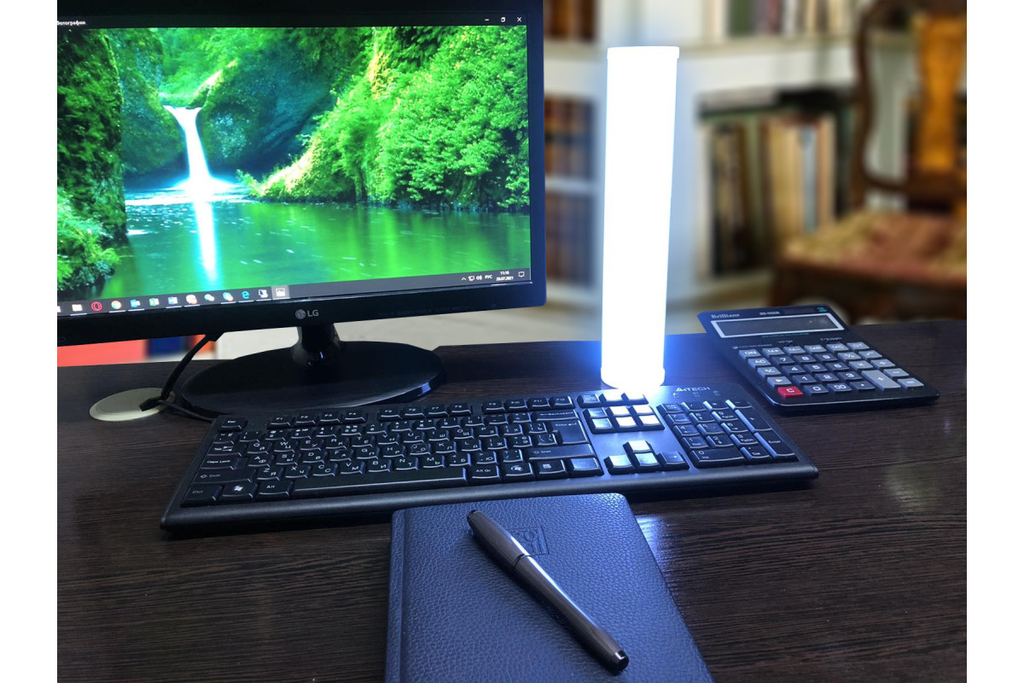
LED desk lighting is a small part of a room’s electrical system, but it strongly affects daily comfort. A notebook, keyboard and computer monitor sit close together, yet each presents a different visual task. Paper needs enough illumination to reveal fine detail; a screen emits its own light and is vulnerable to reflections; a hand drawing a line can cast a shadow precisely where accuracy matters. A useful desk lamp must support the actual workspace rather than simply make the desk look bright. Placement, beam control and switching deserve attention before colour or decorative form.
Start with the way the desk is used
List the tasks performed at the desk during a normal week. Reading printed material, handwriting, drawing, assembling small objects and video calling demand different placements and light levels. A student who works mainly on paper benefits from a broad illuminated area, while someone using a laptop may need less direct light and better background balance.
Measure the depth and width of the desk, including space occupied by screens, speakers and shelving. A compact desk lamp can be effective on a clear surface but become an obstruction beside two monitors. The usable reach of the arm or the light distribution of a fixed-body lamp matters more than the outer dimensions listed on the packaging.
Prevent hand and shoulder shadows
For handwriting or drawing, the position of the lamp relative to the writing hand is important. A right-handed user often finds a source on the left more comfortable, while a left-handed user generally benefits from the opposite arrangement. This keeps the hand from blocking the most important part of the page. A wide beam can further reduce sharp shadow edges.
The position should be checked while actually writing, not by viewing an empty desk from above. Move the book, rotate the notebook and watch how shadows change. For detail work, a lamp with controllable direction can help when different objects occupy the same surface. Avoid placing a powerful source directly behind the user, where their shoulders can block the work.
Keep bright reflections away from monitors
A lamp that illuminates paper effectively may reflect in a glossy screen or polished desktop. The easiest test is to sit in the normal working position and inspect the monitor when the lamp is switched on. A visible bright spot or line is a sign that placement or aiming needs correction. Raising, rotating or shifting the lamp often solves the problem without reducing useful task illumination.
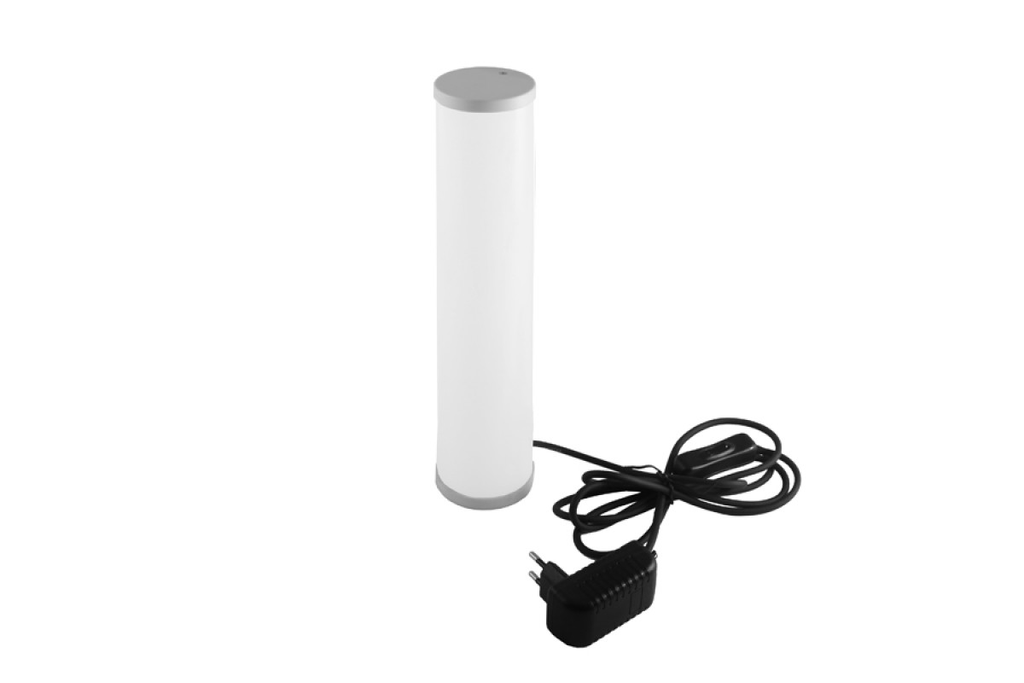
The Desk Lamps range is worth comparing for desk-based tasks, including the available body shapes and emitted light colours. Review the actual input voltage, size, controls and optical arrangement of each model before purchase. A fixed compact lamp and a directional work lamp will behave differently, so match the particular fitting to the workstation instead of assuming all desk lamps are interchangeable.
Balance the screen with the room
Working in total darkness with a bright monitor can make the contrast between the screen and the surroundings uncomfortable. A small amount of ambient room light reduces that difference. It may come from a wall fitting, a ceiling source at a reduced level or a soft light aimed at a nearby wall. The desk lamp then handles the immediate paper or object task.
Avoid placing a very bright lamp where it becomes the dominant object in peripheral vision. A diffuser can spread light across the work area, but its benefit depends on the lamp’s construction. Check comfort at the beginning and end of an ordinary work session. The visual result should remain stable when a browser opens a white document or the screen shows a dark page.
Choose light colour for the task and environment
Warm lighting creates a relaxed appearance and often suits evening reading. Neutral white may help with detailed paperwork or mixed work and study. Extremely cool-looking light can feel out of place in a bedroom workstation. Compare colour temperature with the overhead lighting, wall finishes and available daylight rather than treating one numerical value as ideal for everyone.
Colour rendering is relevant for drawing, crafts and work with printed samples. A lamp with suitable colour-rendering performance helps materials appear more natural under artificial illumination. Where exact colour judgment is part of the job, review product specifications and maintain consistent lighting conditions. Changing between different light sources can alter how the same paint, paper or fabric appears.
Make switches easy to reach
An awkward switch encourages users to leave the wrong light setting in place. If the desk lamp is controlled on its base, confirm that the base will remain accessible behind notebooks and peripherals. An integrated touch surface can be convenient, provided accidental operation does not become a nuisance. Where brightness adjustment is offered, test how smoothly the useful range changes.
Cable management is part of usability. Keep the power lead away from the keyboard, wheeled chair and movable monitor arms. An extension cable should be properly rated and routed where it cannot be crushed. If a model has an external supply, position that component where it remains ventilated according to its instructions.
Consider appearance during video calls
Light placed below the face or directly behind the head can create unflattering contrast during a video call. A normal desk lamp may serve as supplemental light if it can be directed toward a wall or positioned beside the screen. Directing a hard, concentrated beam at the face often produces distracting highlights. The background should not contain an exposed bright emitter that overwhelms the camera’s exposure.
Check a test video rather than relying on the mirror view. Daylight from a side window changes throughout the day, so a controllable secondary lamp is useful when meetings run into the evening. The goal is readable facial detail and a balanced background, not maximum brightness. A desk lamp designed for paperwork remains valuable even when a separate call light is used.
Keep the workstation flexible as needs change
A desk may move from a bedroom corner to a home office or be shared by two people. Repositionable lighting makes these changes easier, particularly when furniture placement shifts. Before buying, compare the lamp’s footprint, power requirements, available control positions and the height at which its beam reaches the work surface.
Good desk lighting is judged during use. The page is easy to read, a pen does not cast an intrusive shadow, the screen remains free of bright reflections and the switch is within reach. When these conditions are met, the luminaire becomes a reliable part of the workstation instead of another object requiring constant adjustment.


